
BLOG
Resume Screening Automation: A Practical Workflow for Recruiters
November 2026 · 11 min read
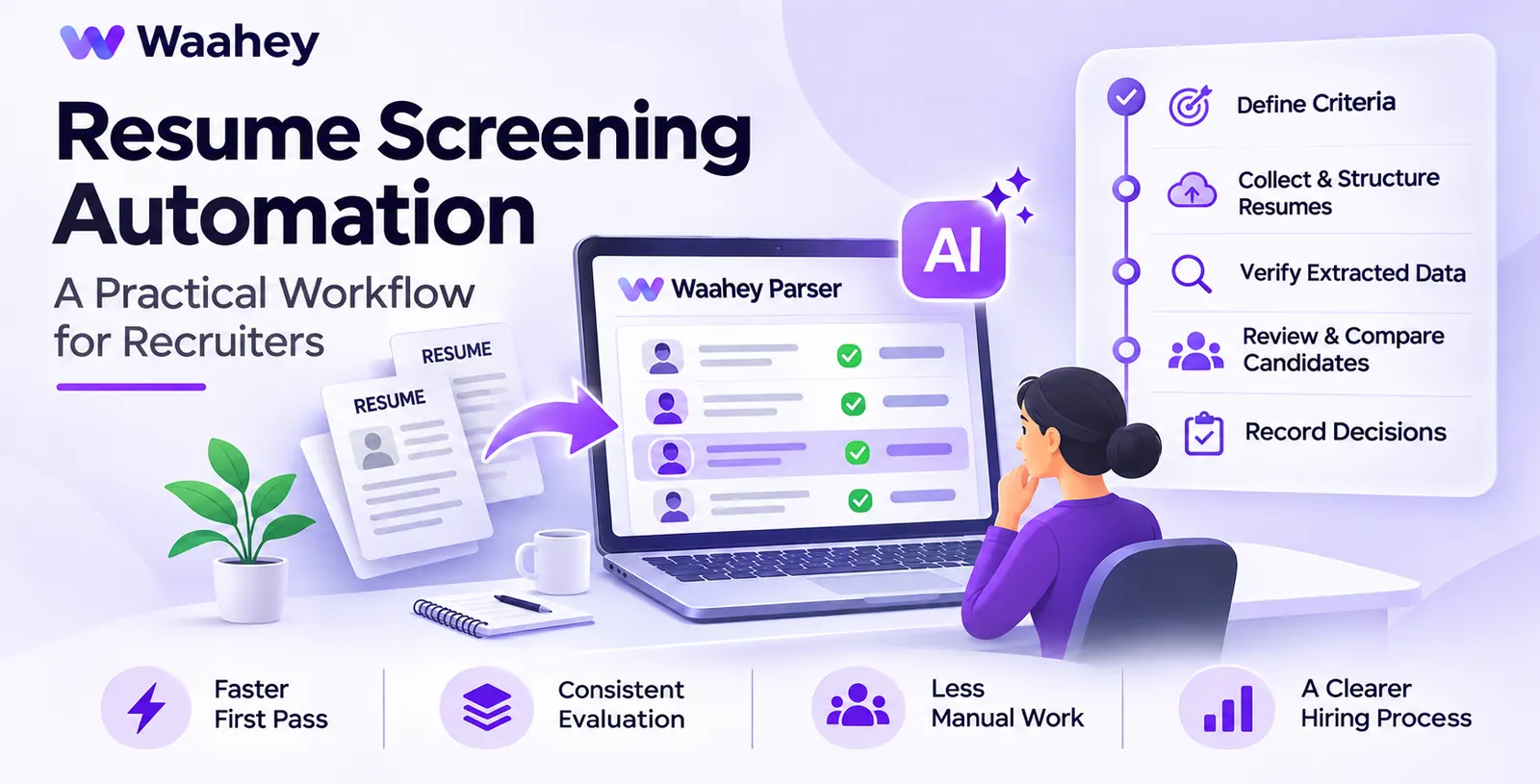
Screening resumes is one of the most time-consuming parts of recruiting. Open a file, scan for relevant experience, copy a few details somewhere, move on to the next. Multiply that by every applicant for every role, and the process eats the hours recruiters would rather spend talking to people.
Resume screening automation aims to take the repetitive parts off your plate. This article lays out a practical workflow, shows where automation helps most, and explains where human judgement must stay in charge.
The Problem: Screening Takes Time and Invites Inconsistency
Manual screening has two weaknesses.
First, it is slow. Every resume must be opened, read and transcribed before anyone can compare candidates.
Second, it is inconsistent. A recruiter reviewing resume number five in the morning may apply different standards than when reviewing resume number fifty late in the day. Different recruiters on the same team may also focus on different details.
Good automation addresses the mechanical work, while a clear process addresses consistency.
How Resume Screening Automation Works
It helps to separate two things that are often blended together:
- Parsing: extracting resume contents into structured fields.
- Screening: deciding who moves forward.
Automation is strongest in the first. A sensible workflow uses it that way.
A five-step workflow
Use this sequence to keep automation useful and decisions defensible.
- Define the criteria first. Write down the must-have and nice-to-have requirements for the role before reviewing anyone.
- Collect and structure resumes. Upload applications and convert them into consistent, comparable profiles.
- Verify the extracted data. Spot-check key fields against the original documents.
- Review against your criteria. Compare structured profiles against the written criteria.
- Record decisions and reasons. Note why candidates advanced or did not, so the process is repeatable.
Common Challenges
Watch for these pitfalls when teams start automating screening.
- Automating before defining criteria. Without clear requirements, faster processing just means faster inconsistency.
- Over-trusting the output. Extracted data can contain errors that quietly affect decisions.
- Keyword fixation. Matching exact words can overlook candidates who describe the same skill differently.
- Format variety. Different layouts affect how cleanly data is extracted.
- Privacy. Resumes contain personal details that need careful handling.
Benefits of Automating the Mechanical Steps
- Faster first pass. Structured profiles are quicker to scan than raw documents.
- More consistent comparison. Candidates are presented in the same layout.
- Less transcription. Fewer manual copy-and-paste steps.
- Better audit trail. Recorded criteria and decisions make the process easier to explain.
Actual time savings depend on your volume and review habits, so measure them in your own process.
Practical Business Use Cases
- High-volume hiring. Seasonal or campaign hiring brings many similar applications at once. A structured workflow helps small teams keep decisions organised.
- Agency shortlisting. An agency can structure incoming resumes for a client role and share a consistent shortlist view instead of a folder of attachments.
- Internal mobility and re-engagement. Structured data from previous applicants can be searched when a new role opens, which may save a new sourcing effort.
Example: a simple screening sheet
A simple structure like this keeps decisions comparable and reviewable. (This is an illustrative template, not a client result.)
| Candidate | Role match | Must-haves met | Verified against resume | Decision |
|---|---|---|---|---|
| A | Strong | Yes | Yes | Interview |
| B | Partial | 2 of 3 | Yes | Hold |
| C | Unclear | Not confirmed | Needs check | Review |
Common mistakes to avoid when you start
Teams new to automation often make the same few missteps. They switch on a new process during their busiest hiring week, which leaves no time to test it. They skip the verification step because the first few results looked fine. Or they stop reviewing criteria after the first role, so the same filters get applied to very different jobs.
A calmer start works better. Pilot the workflow on one open role, compare the structured output with the original resumes for a small sample, and note any recurring extraction problems before you widen the rollout. Treat the first month as a calibration period, and adjust your criteria and checks as you learn what your resume mix actually looks like.
How to Choose a Tool for Screening Support
Look for tools that:
- Structure resumes clearly and let you inspect what was extracted.
- Make correcting fields easy.
- Offer output you can use in your existing process.
- Handle candidate data responsibly.
- Let you test with your own documents.
Be careful with tools that promise to automatically rank or reject candidates. Those decisions carry fairness and legal considerations, and they should stay under human oversight.
How Waahey Parser Helps
Waahey Parser is designed to help organise information extracted from supported documents into structured views for review. In a screening workflow, it supports the collect and structure step, so recruiters can spend their time evaluating candidates instead of retyping details.
In practice, that means you can:
- Turn uploaded resumes into consistent candidate profiles for comparison.
- Inspect extracted details alongside the original document when you need to verify a date, skill or qualification.
- Review several resumes against the same job description in one structured view.
- Keep humans in charge of shortlist decisions while using structured output to organise the first pass.
- Continue with available report or export tools in your existing hiring process.
Best Practices and Limitations
- Write criteria before reviewing. It keeps decisions consistent and defensible.
- Verify important data. Compare extracted fields with the original resume before acting on them.
- Do not auto-reject. Keep a human involved in every decision to exclude a candidate.
- Review process regularly. Look at whether criteria are filtering out strong candidates unintentionally.
- Handle personal data carefully. Follow your organisation's retention and privacy rules.
- Accept limits. Automated extraction is not always accurate.
Frequently Asked Questions
- What is resume screening automation?
- It is the use of software to handle repetitive screening tasks, such as extracting and organising resume data, so recruiters can review candidates more efficiently.
- Can automation fully replace manual resume review?
- No. Automation helps with the mechanical steps, but decisions about candidates should involve human judgement.
- What should I do before automating screening?
- Define clear, job-relevant criteria for each role. Without them, automation only speeds up an unclear process.
- How do I check that extracted resume data is correct?
- Spot-check key fields such as name, contact details, dates and qualifications against the original document.
- Is resume screening automation suitable for small teams?
- It can be, especially when volume is irregular. Test with your own resumes to see whether the workflow fits.
Conclusion
Effective resume screening automation is less about replacing recruiters and more about removing the busywork around them. Define criteria, structure your resumes, verify the data and keep people in charge of decisions.
Ready to build a cleaner screening workflow? Learn more about Waahey Parser, the document parser, AI quizzes and AI Companion.
Ready to build a cleaner screening workflow?
Use Waahey Parser to structure resumes into reviewable candidate profiles, then keep people in charge of shortlist decisions.
Keep exploring AI and learning
- Resume Parsing Software: What It Is and How to Choose the Right One
What resume parsing software does, where it helps most, where humans still matter, and how to evaluate tools before you commit.
- How AI Is Changing the Way Students Learn in 2026
From personalized study paths to AI tutors and instant feedback, see how learners are using AI responsibly—and what it means for teachers and institutions.
- 10 Ways AI Can Help Teachers Save Time and Improve Learning
Discover 10 ways AI can help teachers save time, reduce admin tasks and enhance student learning, from quiz creation to real-time feedback and personalization.